How TrackedPR works, day to day
What actually happens once it is installed — the first week, the ordinary weeks, and what comes out the other end.
The first day
You tell TrackedPR about your decree — the chapter, the year, and the number if you have it — and grant location permission. From that point it is running in the background. If your chapter is not one of the listed ones you type it in, and decree years run back to 1990, so a grandfathered Act 20 or Act 22 decree is set up like any current one.
If the year is already partly gone, you do not retype it. Import what you have — another tracker's export, a spreadsheet, your own records — and TrackedPR reconciles it against anything already detected, showing you the conflicts rather than silently picking one.
And if your file comes from an app the importer does not read yet, email it to support@trackedpr.com and we will add that format. The importer is being widened as people send theirs in, so a format nobody has sent yet is a gap rather than a refusal.
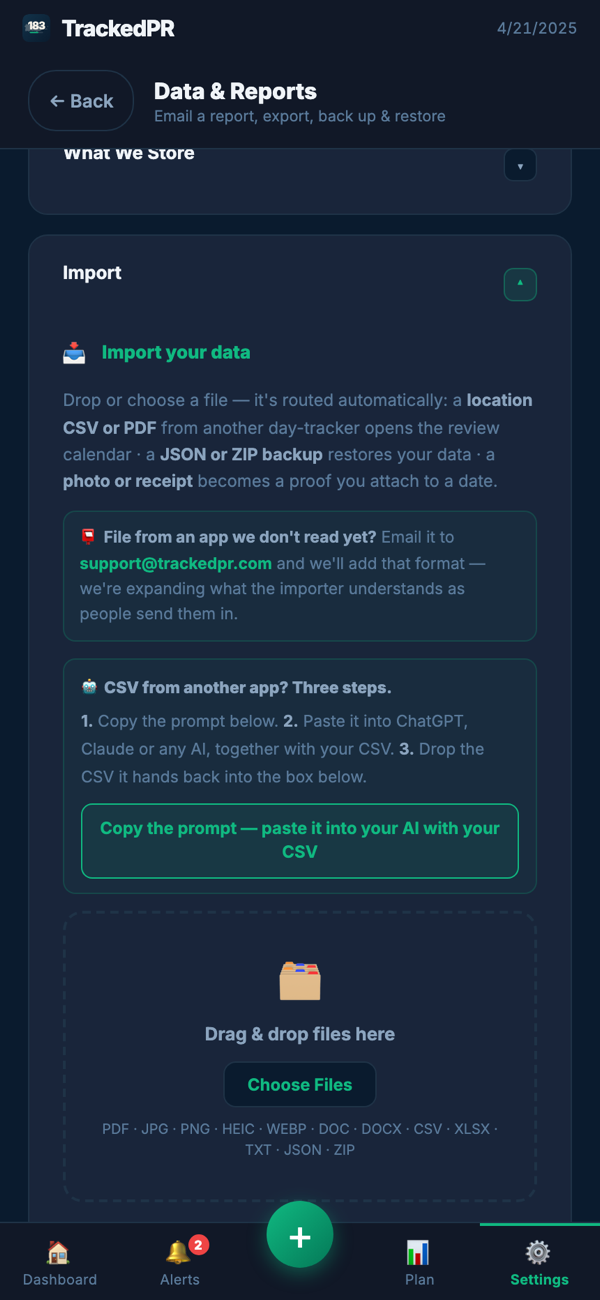
Bring a spreadsheet from anywhere
Your history does not have to be in our shape already, and you do not have to reformat it by hand. Three steps:
- 1Copy the prompt below.
- 2Paste it into ChatGPT, Claude or any assistant you use, together with your current CSV.
- 3It hands back a CSV in our format — upload that, and the review calendar opens so you can check it before anything is counted.
The prompt tells the assistant not to guess: anything ambiguous comes back listed separately for you to check, rather than being invented into a day count.
I have a spreadsheet of travel days. Convert it to a CSV with exactly 3 columns: From, To, Location.

Rules:
- From and To must be dates in M/D/YYYY format (e.g. 1/8/2026)
- Location must be the full US state name (e.g. "Florida", "New York"), "Puerto Rico", or the full country name for international
- Each row = one continuous stay in one location
- If a stay spans multiple rows in my data, merge them into one row
- Ranges are inclusive: From and To are both days I was there
- If I was in two places on the same day, give that day its own row for each place
- Do not guess. If a date or a location is unclear, leave that row out and list it separately below the CSV so I can check it myself
- Do not include any other columns, headers, or explanations — output ONLY the CSV
- First row must be: From,To,Location

My data:
The ordinary week
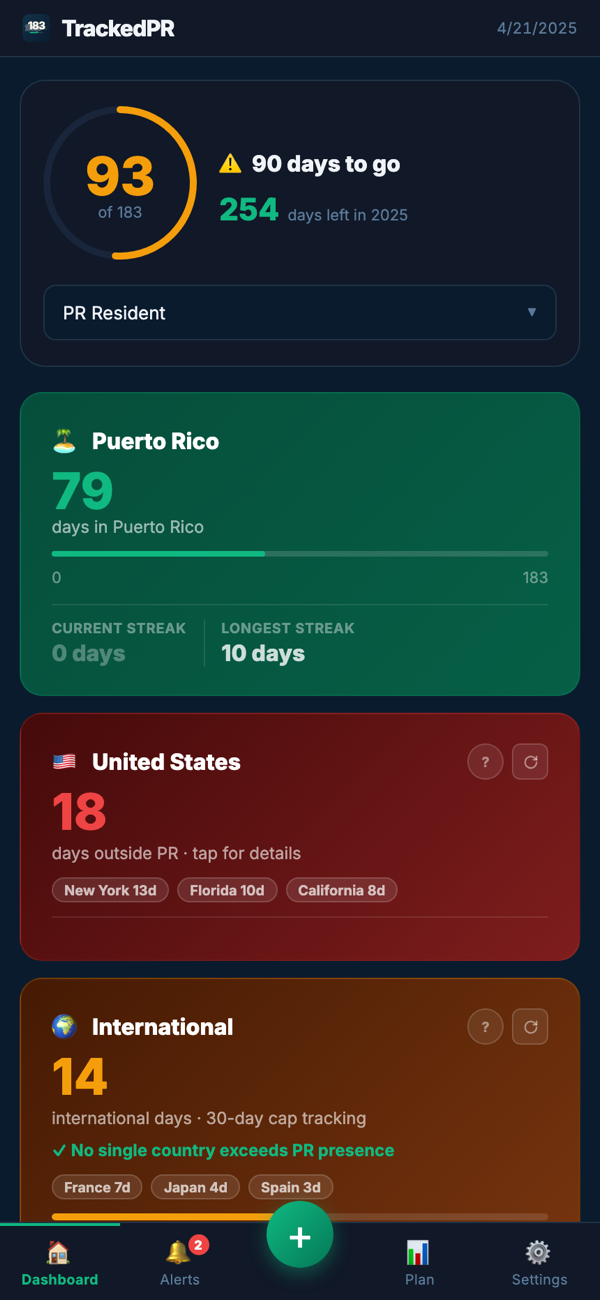
Nothing. That is the intent. Battery-light detection resolves where you were and records the day, and the dashboard shows the running count against 183 with the days banked and the days left in the year. When a day needs attention — an unlogged day, a stretch with no proof behind it, a threshold you are approaching — it surfaces as an alert rather than waiting for you to go looking.
You can log a day yourself, correct one the detection got wrong, or mark a day as a sick day or a disaster day. Those are tracked as their own kinds of day rather than folded into ordinary presence, because the reason a day counts matters as much as the count — and both have conditions attached that a plain tally would hide.
Two layers of proof, one automatic
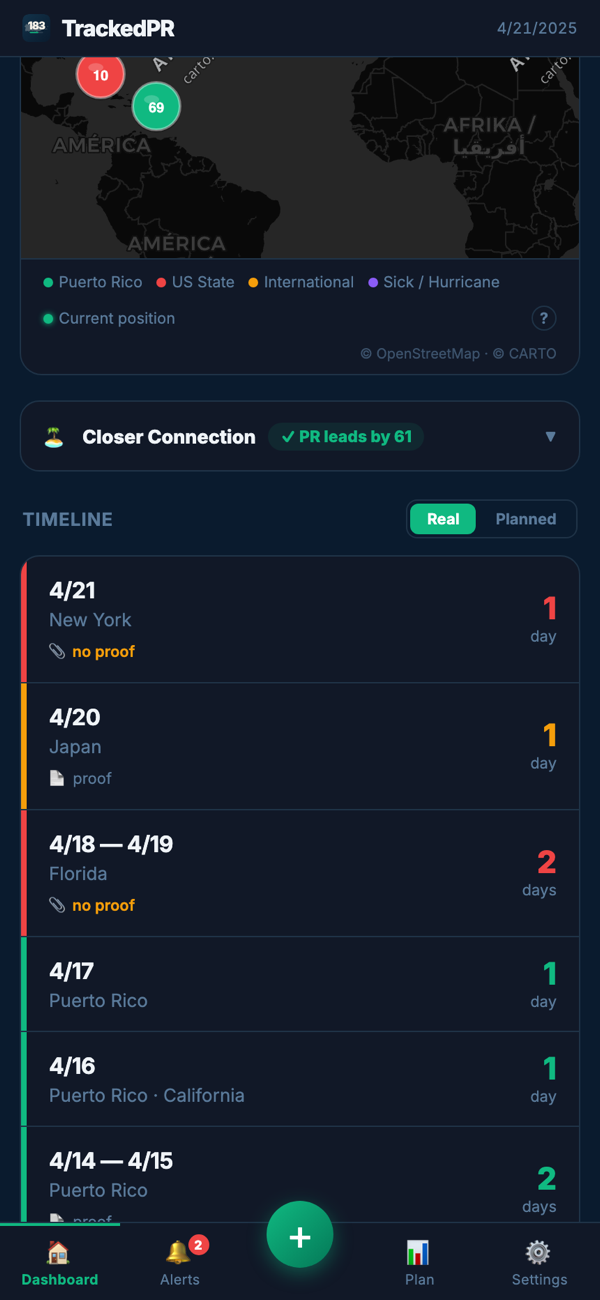
Every automatically logged day arrives already stamped: the place resolved to country, state and city, and the local time you were detected there. That stamp lands in your report as its own column, on every one of those days, without you doing anything.
What TrackedPR does not keep is your precise coordinates. They are used on your device to work out which jurisdiction and timezone you are in — which is what makes a day land on the right calendar date when you cross a zone — and then discarded. Your report shows where and when without carrying a map of your movements.
On top of that you attach your own proof to the days that want it: a boarding pass, a receipt, a document, filed against the day it belongs to rather than dropped in a folder to be sorted out in April.
What your CPA receives
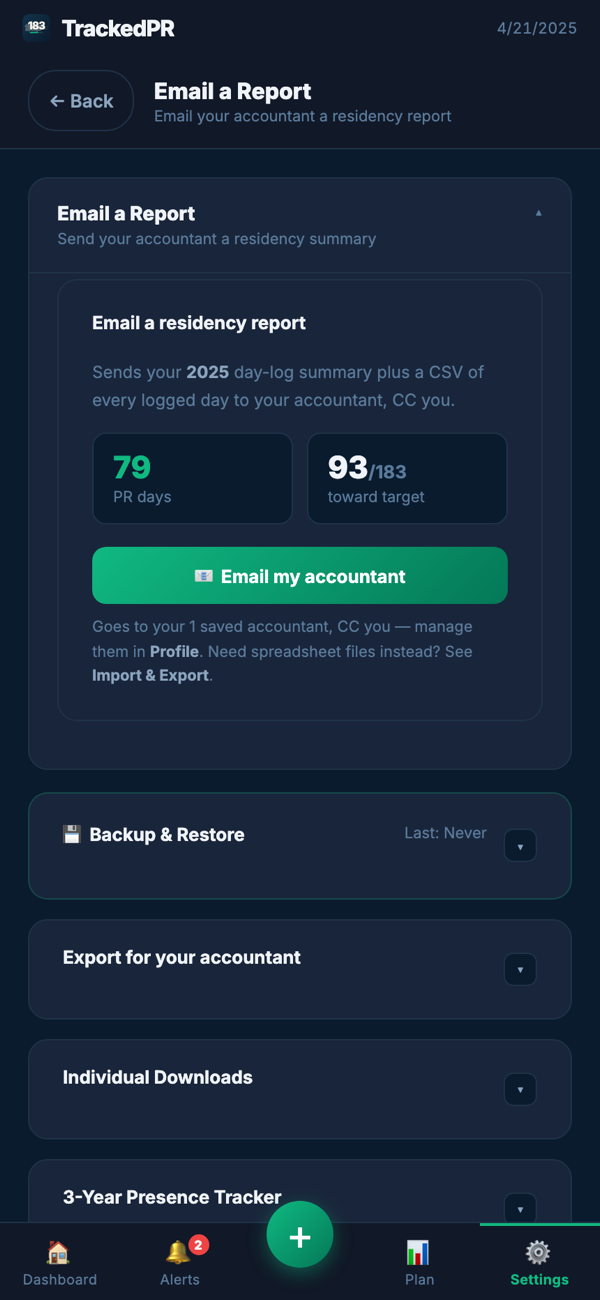
One packet, in one tap, at any time of year — not a raw spreadsheet to interpret. A row per logged day carrying the date and weekday, the country, state and city, the time you were detected there, whether the day counts toward your 183, and whether it was a double-touch day.
Alongside those, flags for sick days, disaster days, student days, international days counting toward the 30-day cap, and days counting toward the 549-day three-year alternative. The proof files you attached travel with it, named by date, next to the summaries.
The record is easiest to build while the year is still happening.
Start tracking free